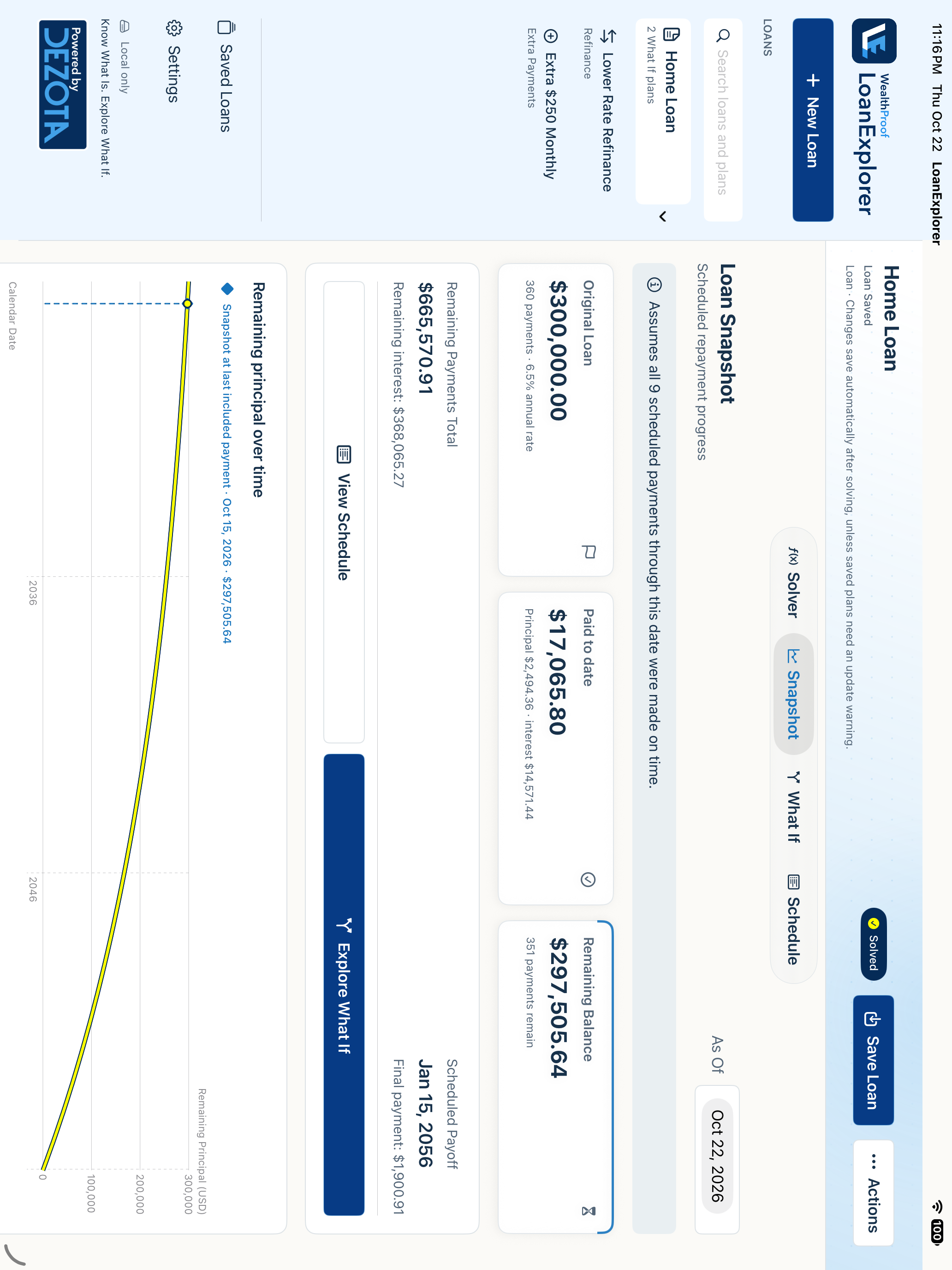
LoanExplorer 1.1 for Mac
Free, with private iCloud sync. One Universal installer for Intel and Apple silicon. Requires macOS 14 or later.
Download for Mac



Know What Is. Explore What If.
A free app from Dezota
See what it would take to pay off your home or car loan sooner. Try extra monthly principal or compare a refinance. Planning a purchase? Start with a monthly payment and a rate from your bank or credit union, then explore the loan amount they could support.
Free. No ads or tracking in the app.
Explore LoanExplorerPrivate iCloud sync
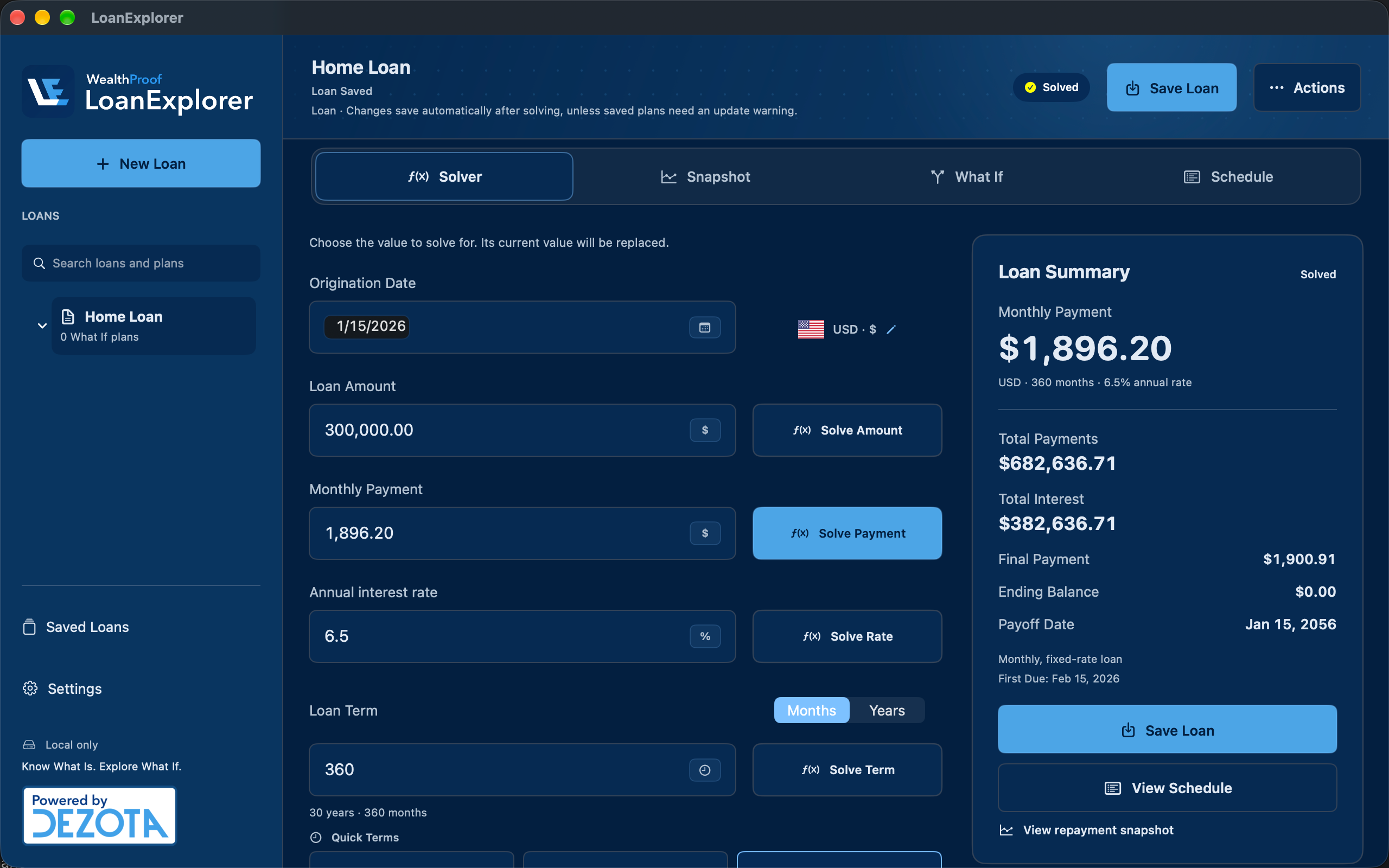
Real app screens with fictional examples. Screenshots are shown in English.
We built LoanExplorer to make understanding loans simpler. It’s free because we want more people to make informed decisions about debt and make room for their long-term goals.
LoanExplorer is a focused app under the WealthProof brand. The core WealthProof financial platform remains in development.
01 / Solver
Have a monthly mortgage payment in mind and a rate from your bank or credit union? Add a loan term and see the loan amount they could support. For an existing home or car loan, enter three known values and solve for the amount, monthly payment, annual rate, or term.
Use the principal-and-interest part of your payment budget. This estimates a loan amount, not a house price or a lender’s approval. Allow separately for a down payment, taxes, insurance, and other housing costs.
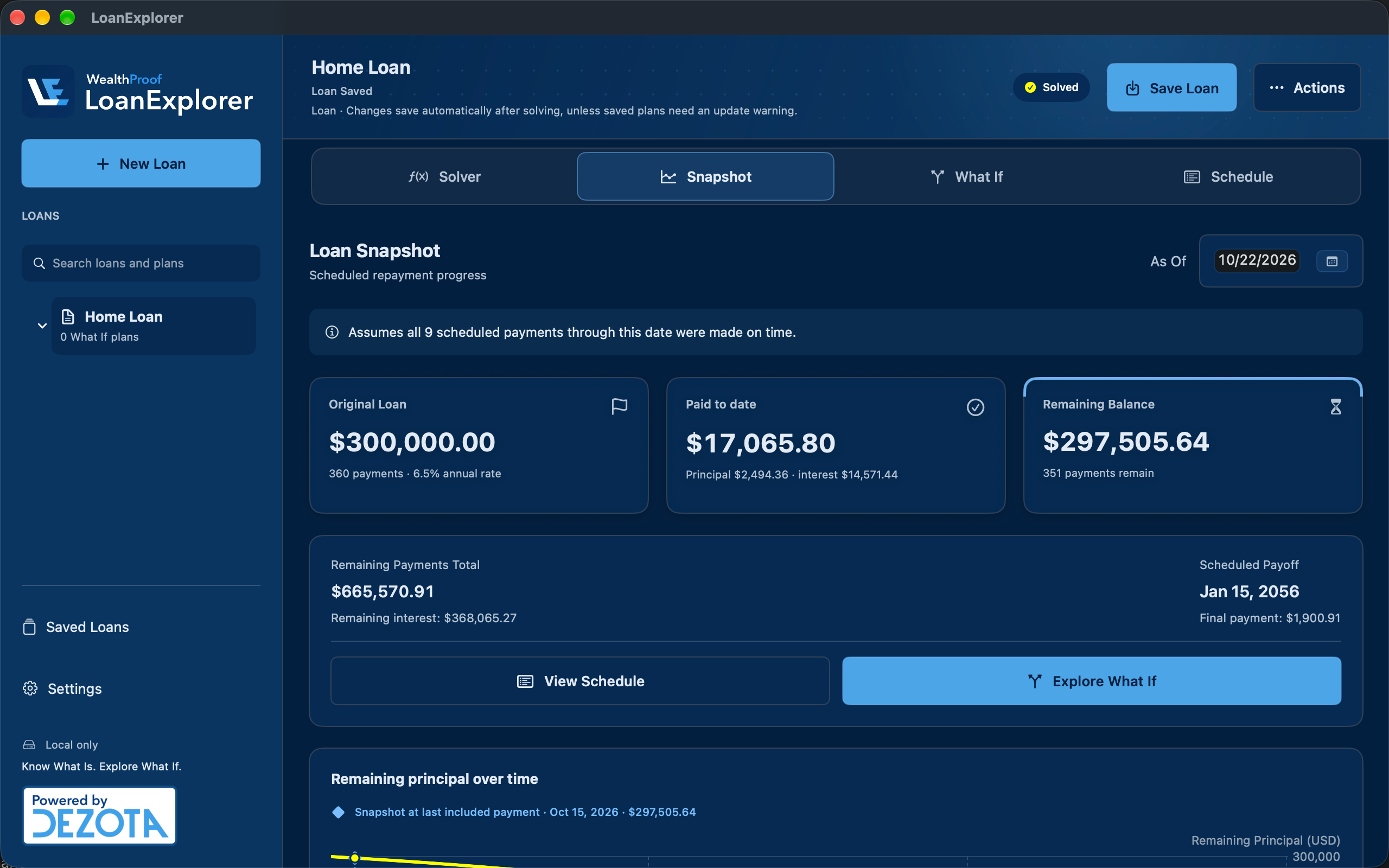
02 / Snapshot
You’ve been making payments for a few years. How much of the loan is still ahead of you? Choose a date in Snapshot to see the modeled remaining balance, scheduled progress, and interest still to come.
Snapshot assumes payments were made on schedule. It is a model, not a connected lender balance or a payoff quote.
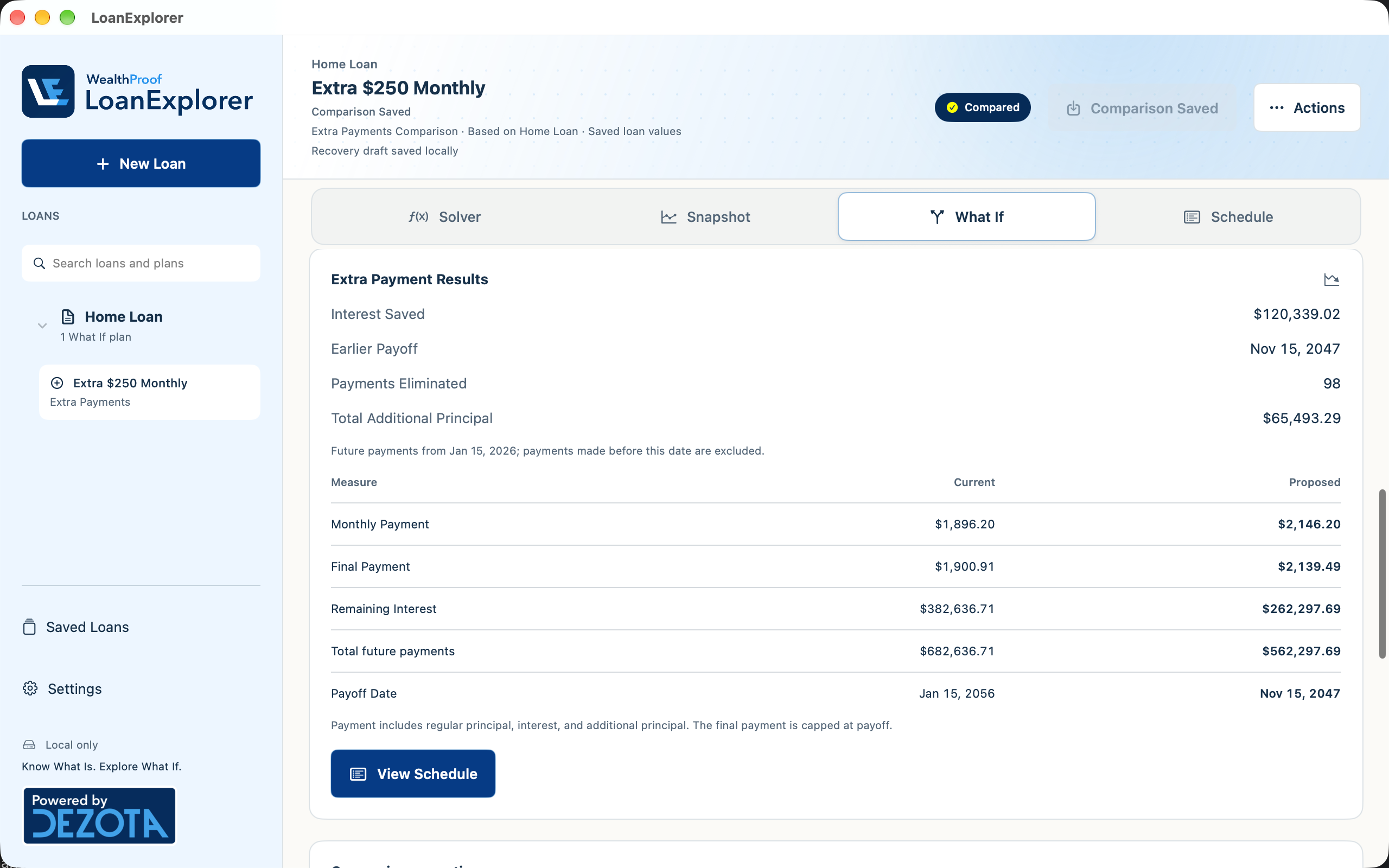
03 / What If
Use your current loan as the starting point. Try a faster payoff or a different rate, and keep each named What If Plan connected to the same saved loan so you can compare your options.
Examples use fictional loans and illustrative rates, not current market offers. Results depend on the captured terms, effective date, fees, and scheduled-payment assumptions. The extra-payment example excludes lender fees and prepayment penalties.
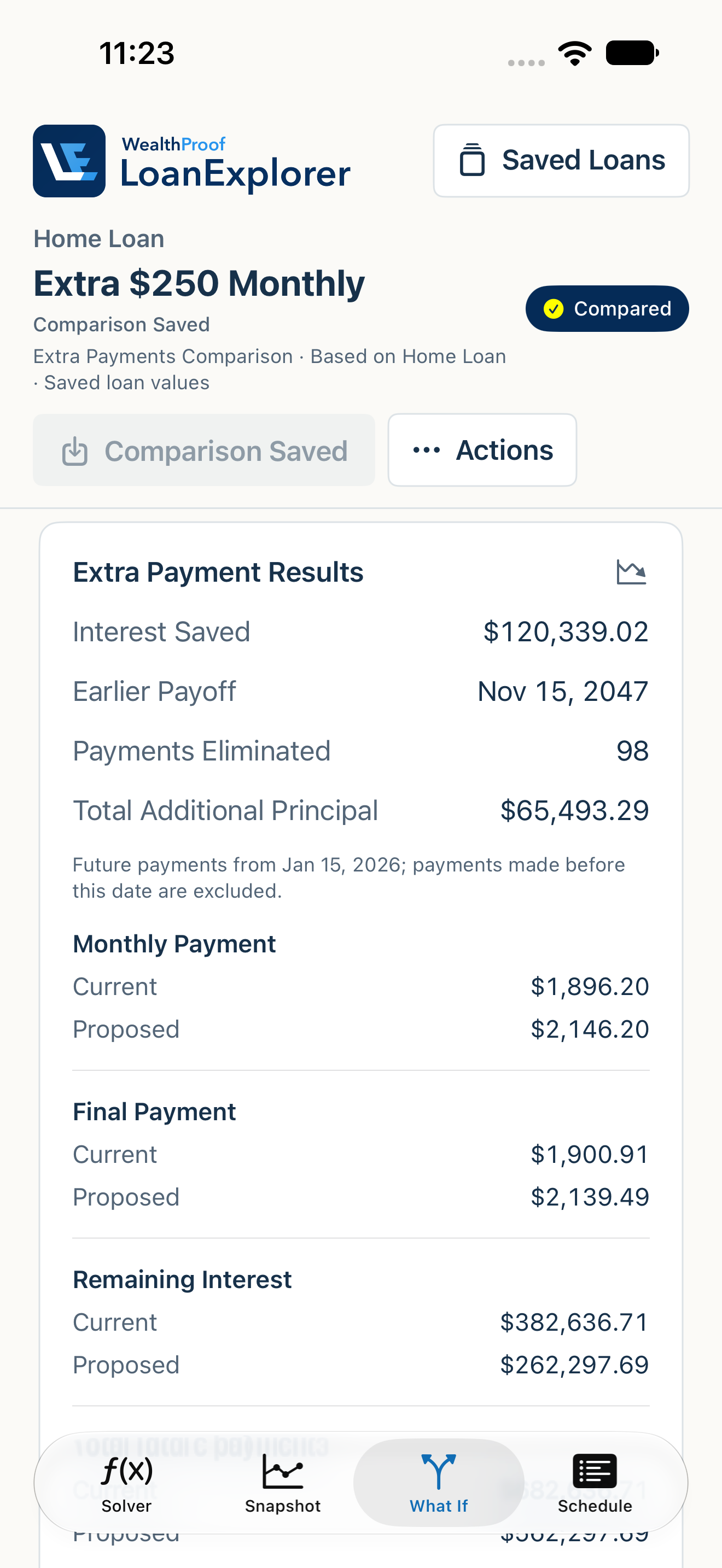
What could another $100 or $250 toward principal each month change? Try a fixed extra amount and see how it affects total interest and the payoff date, while keeping your original rate and regular payment.
Extra Payments effective date: January 15, 2026
Original payoff: January 15, 2056 → Extra-payment payoff: November 15, 2047
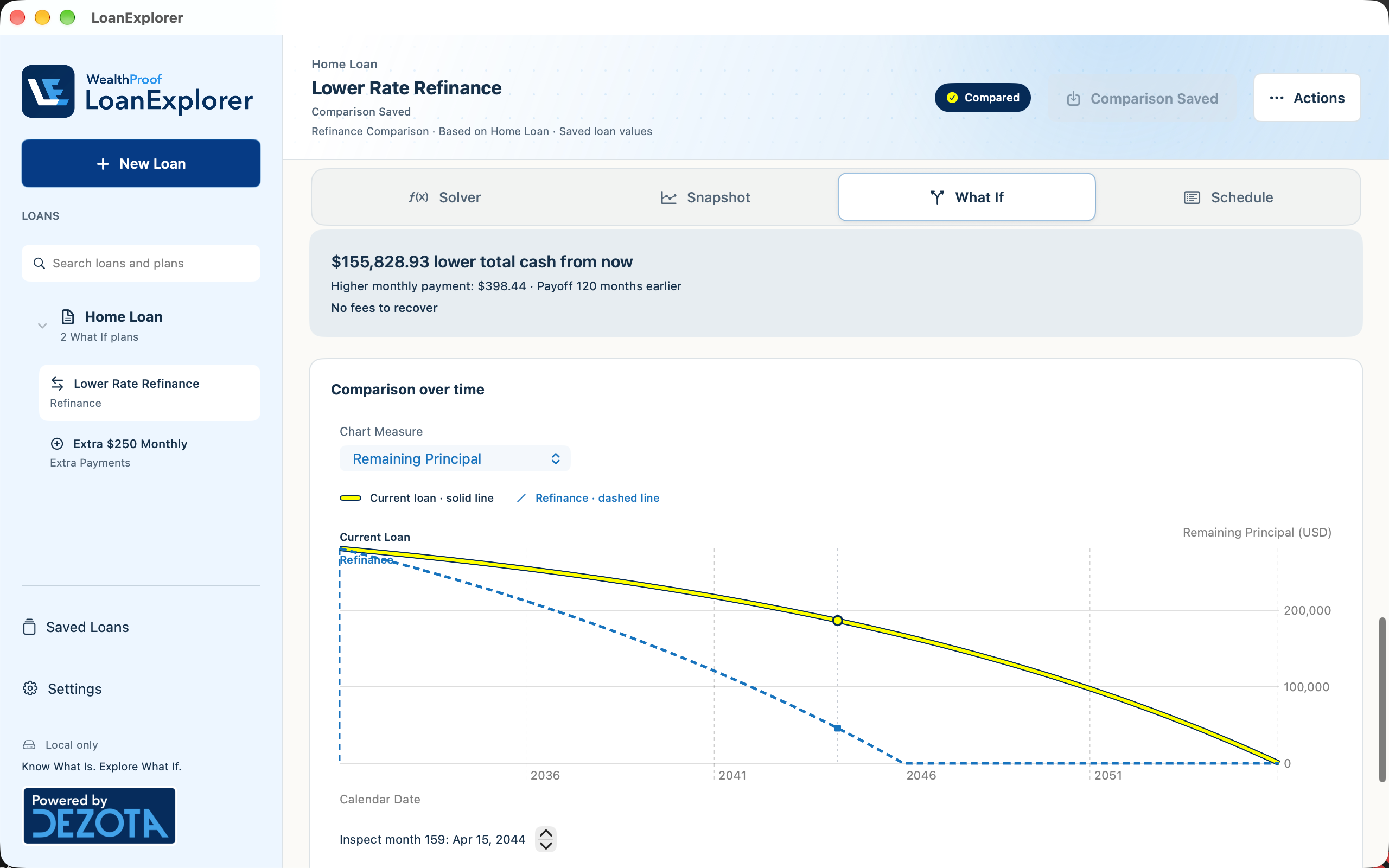
Five years into a 30-year mortgage, could you switch to a 15-year term? Compare the new payment, future interest and payoff date. Include fees when they apply—a lower rate or monthly payment alone does not establish savings.
Original payoff: January 15, 2056 → Refinance payoff: January 15, 2046
This fictional example has no fees. Savings compare future payments and interest from the refinance date; the first five years of payments and interest are excluded. At the refinance payoff, the original loan would still owe $166,997.98.
Explore in Space on Apple Vision Pro
Compare your current loan with an Extra Payments or Refinance plan in a spatial visualization. Watch repayment unfold, explore the timeline, and see how interest and payoff change between the two paths. Available on Apple Vision Pro with visionOS 26 or later.
04 / Schedule
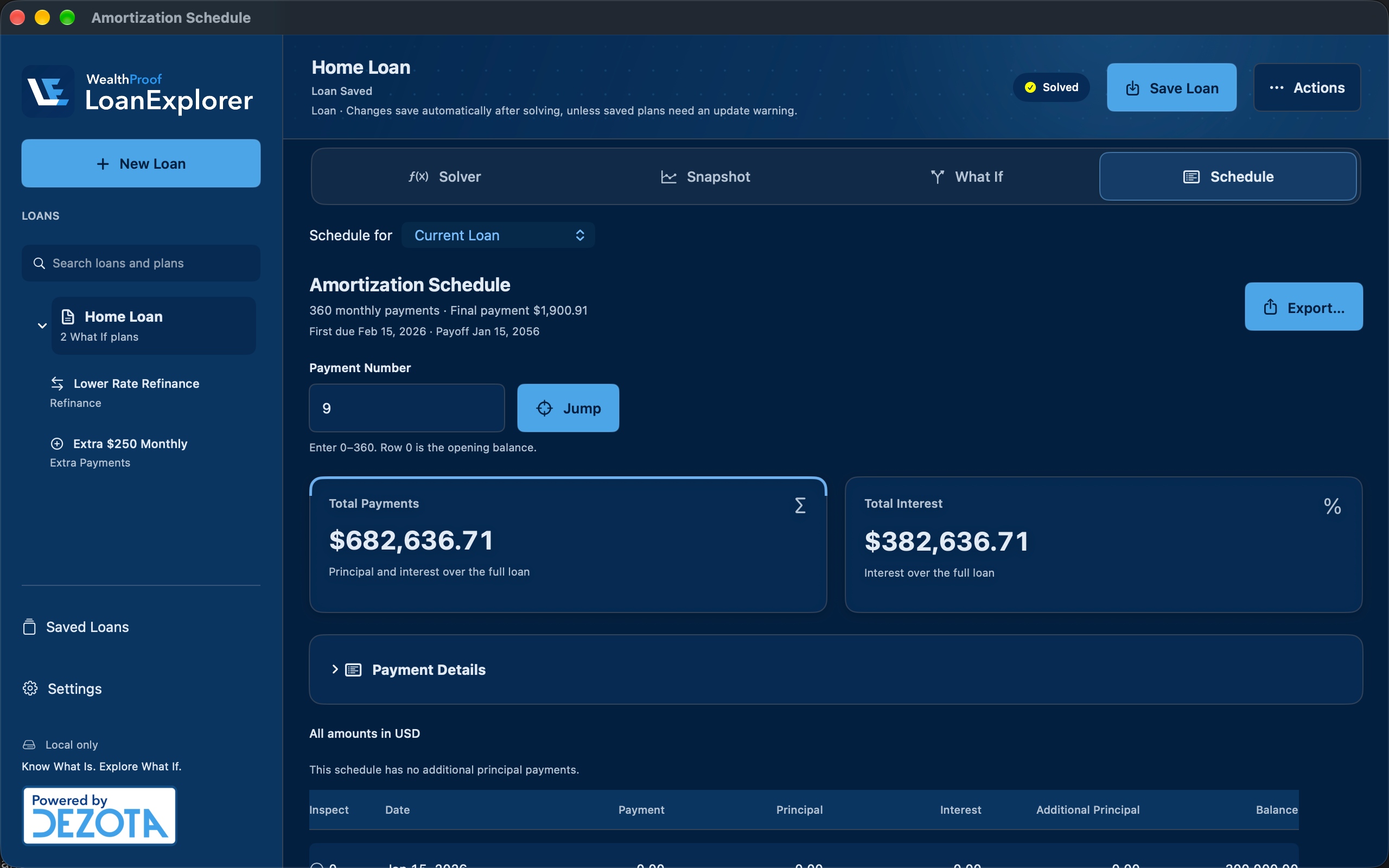
Want to understand why the balance falls slowly at first, or what an extra payment changes later? Schedule separates principal, interest, additional principal, and remaining balance. Jump to a payment number or export the full schedule as CSV or Numbers-compatible XLSX.
iCloud
Save a loan or What If plan on one device and continue exploring it on another. LoanExplorer keeps your saved loans and connected plans in your private iCloud library, using the same Apple Account. Private iCloud sync is included in the Mac download as well as the App Store edition.
iCloud sync is on by default when available and requires iCloud access and an internet connection. Updates can take time; Sync Now requests another attempt. Recovery drafts stay on the device where you edit them. Your library is for your own devices, not household sharing or collaboration.
Open a saved loan or ask for a scheduled snapshot with Siri and Shortcuts. Saved-loan access is optional and read-only.
LoanExplorer
Download LoanExplorer 1.1 for Mac. Solve a loan, compare repayment plans, and keep your saved work in sync with iCloud.
Available in English, Spanish, Brazilian Portuguese, French, Italian, German, Dutch, Japanese, Korean, and Simplified Chinese.
Free, with private iCloud sync. One Universal installer for Intel and Apple silicon. Requires macOS 14 or later.
Download for MacFor Mac, iPhone, iPad and Apple Vision Pro. Check App Store availability below.

Browse the manual or contact us with your app version, device and operating-system version, and what happened. Use fictional examples; do not email private loan records or account details.
Fixed-rate loans with scheduled monthly payments. Estimates follow the entered terms and model assumptions; they do not include every lender rule, tax, insurance charge, or irregular payment. This is general information, not personalized financial advice.
26 named currencies plus None, with regional number and date formatting. Currency selection does not convert money or obtain exchange rates.
LoanExplorer supports English, Spanish, Brazilian Portuguese, French, Italian, German, Dutch, Japanese, Korean, and Simplified Chinese. Screenshots on this page are shown in English.
Saved loans and their named What If plans stay connected across your devices using the same Apple Account. iCloud sync is included in both the Mac download and the App Store edition and is on by default when available. An internet connection and iCloud access are required; updates may take time. Recovery drafts remain on the device where the edits were made.
LoanExplorer is free, with no ads or tracking in the app. This company website has its own analytics and Privacy Notice; the app statement does not describe website tracking.
LoanExplorer is a separate, focused app under the WealthProof brand, published by Dezota LLC. The core WealthProof financial platform remains in development.
Use the App Store link on this page to check availability for Mac, iPhone, iPad and Apple Vision Pro, or download LoanExplorer 1.1 for Mac directly from this page.
Let’s talk
Talk with us about WealthProof, our work, or what comes next.